
At Help Scout today I’m working on a tracking script to help us track where our visitors are coming from. One of the ways it identifies that is using document.referrer which returns the referring URL.
For example, if you go to Google, click on a link, then check out the value of document.referrer in the JavaScript console, it will tell you it was google.com:
> document.referrer
"https://www.google.com/"
For testing the script I’m working on I needed a way to manually set the value of the referrer to quickly test that the script is handling it correctly.
Unfortunately you can’t directly overwrite the value:
> document.referrer = "test.com"
"test.com"
> document.referrer
"https://www.google.com/"
Good news is that there’s a hacky way you can do it by overwriting what document.referrer returns. After modifying the code slightly (setting configurable: true), I was able to turn it into a bookmarklet that prompts you for what you want to set the referrer to:
This file contains hidden or bidirectional Unicode text that may be interpreted or compiled differently than what appears below. To review, open the file in an editor that reveals hidden Unicode characters.
Learn more about bidirectional Unicode characters
| javascript:(function(){ | |
| var newReferrer = prompt('Set the referrer:'); | |
| Object.defineProperty(document, "referrer", {configurable: true, get : function(){ return newReferrer; }}) | |
| })(); |
Then when you click this bookmarklet, you can set the new referrer value:
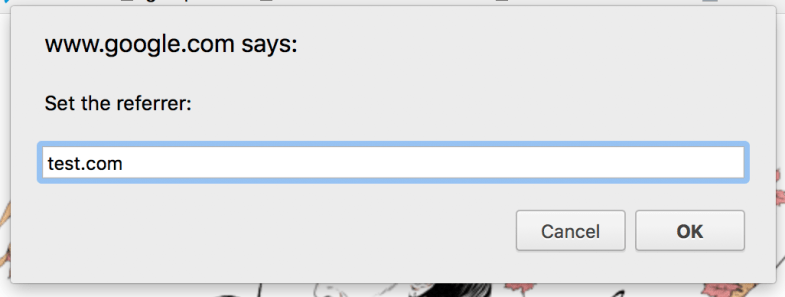
And document.referrer will return the new value:
> document.referrer
"test.com"
 Matt Mazur