
Six Months of HackerNews Front Page Data

Back in September 2009 I launched a small web app called HNTrends.com, a tool for visualizing the movement of stories on HackerNews’s front page over time.

I haven’t worked on the site much since then, but the script that logs the data has been diligently recording the front page submissions every 15 minutes since it started.

It occurred to me that a detailed analysis of the data might yield some interesting results such as how the site has grown since then, when is the best time to post a new submission, user participation rates, or some insight that changes the way we see the site. I offer it to you today so that you may analyze it to your heart’s content.

You can download it here (CSV, 13.4 MB zipped, 169 MB unzipped).

In total, the database contains 514,478 records spanning from August 31, 2009 to March 7, 2010.

A single line looks like this:

"1","http://paulgraham.com/kate.html","What Kate saw in Silicon Valley","129","albertcardona","2009-08-31 20:15:15","63","1","2009-08-31 23:15:15","796573","HackerNews","c18577"

Removing the quotes and splitting by comma, here is what each item represents:

  • 1 – Primary key
  • http://paulgraham.com/kate.html – Destination URL
  • What Kate saw in Silicon Valley – Title
  • 129 – Points
  • albertcardona – Submitter
  • 2009-08-31 20:15:15 – Approximate UTC submission time, calculated based on the time minus the age of the submission
  • 63 – Comments
  • 1 – Rank
  • 2009-08-31 23:15:15 – UTC time record was created
  • 796573 – HackerNews ID
  • HackerNews – Always “HackerNews”
  • c18577 – Color for display purposes

One final note: this database covers roughly 99% of the time period since it started. For a while the script broke whenever an article didn’t contain comment link, and every so often it goes down for miscellaneous reasons.
Poker Bot Command Line Tool – AllHandsDesc

This is post #14 in an ongoing series of articles about my work as a poker bot developer.

Over the next several posts, I’m going to publish several command line tools that I developed in the course of building my poker bot.

None of these tools will enable anyone who can’t already build a poker bot to build one so I don’t think there’s much harm in posting them.

All of these were build on top of Poker Eval, an open source C library for doing poker calculations.

Tool #1: AllHandsDescC

Click here to download the ZIP file (6 KB)

Purpose: This tool will iterate over every possible hole card combination a player can have and spit out its rank when combined specified board cards.

Example:

>> allhandsdesc Td Ts 8h

As Ks - NoPair (A K 2 2 2) - OnePair (T 8 2 2) - OnePair (T A K 8) @ 280
As Qs - NoPair (A Q 2 2 2) - OnePair (T 8 2 2) - OnePair (T A Q 8) @ 292
As Js - NoPair (A J 2 2 2) - OnePair (T 8 2 2) - OnePair (T A J 8) @ 304
As Ts - NoPair (A T 2 2 2) - OnePair (T 8 2 2) - TwoPair (T 2 A) @ 282
As 9s - NoPair (A 9 2 2 2) - OnePair (T 8 2 2) - OnePair (T A 9 8) @ 316
As 8s - NoPair (A 8 2 2 2) - OnePair (T 8 2 2) - TwoPair (T 8 A) @ 119
As 7s - NoPair (A 7 2 2 2) - OnePair (T 8 2 2) - OnePair (T A 8 7) @ 328
As 6s - NoPair (A 6 2 2 2) - OnePair (T 8 2 2) - OnePair (T A 8 6) @ 340
As 5s - NoPair (A 5 2 2 2) - OnePair (T 8 2 2) - OnePair (T A 8 5) @ 352
As 4s - NoPair (A 4 2 2 2) - OnePair (T 8 2 2) - OnePair (T A 8 4) @ 364
...

Output Format:

There are five pieces of information per output line. Using the first line above as our example:

As Ks - NoPair (A K 2 2 2) - OnePair (T 8 2 2) - OnePair (T A K 8) @ 280

As Ks – Hole cards we’re checking

NoPair (A K 2 2 2) – This is the rank of the hole cards by themselves. It will either be NoPair or OnePair, in the case of a pocket pair. A K 2 2 2 is a way of representing the strength of the NoPair: Ace high, followed by king, and since we only gave it two hole cards, it defaults to twos for the rest of the five-card hand: 2 2 2.

OnePair (T 8 2 2) – This is the rank of the board cads by themselves. Td Ts 8h makes one pair: Two tens, followed by an eight, followed by two default 2’s. Note that the out shows “T 8 2 2 2” not “T T 8 2 2” because two tens are implied by its rank of “OnePair”.

OnePair (T A K 8) – This is the rank of the hole cards plus the board cards. As Ks Td Ts 8h makes one pair: two tens, followed by an ace, a king, and an eight.

@ 280 – This shows the number of hole card combinations that can beat these hole cards on this board. Consider a few example from this hand:

Tc 8d - NoPair (T 8 2 2 2) - OnePair (T 8 2 2) - FlHouse (T 8) @ 0

Since you hold a ten, it’s not possible for someone else to have quads, so you have the nuts–no hands can beat you.

Tc Th - OnePair (T 2 2 2) - OnePair (T 8 2 2) - Quads (T 8) @ 0

If you hold the two tens, you have quads, and there are no hands that can beat you.

Ks Tc - NoPair (K T 2 2 2) - OnePair (T 8 2 2) - Trips (T K 8) @ 10

If you hold Ks Tc, there are ten hands that can beat you: Six from full houses: Th 8c, Th 8d, Th 8s, 8d 8h, 8d 8s and four from higher trips: Th Ac, Th Ad, Th As, Th Ah.

If you have any questions, don’t hesitate to leave a comment below.

White Headers, Flinging Timelines, and a little Momentum

Three great things happened tonight:

Preceden Redesign

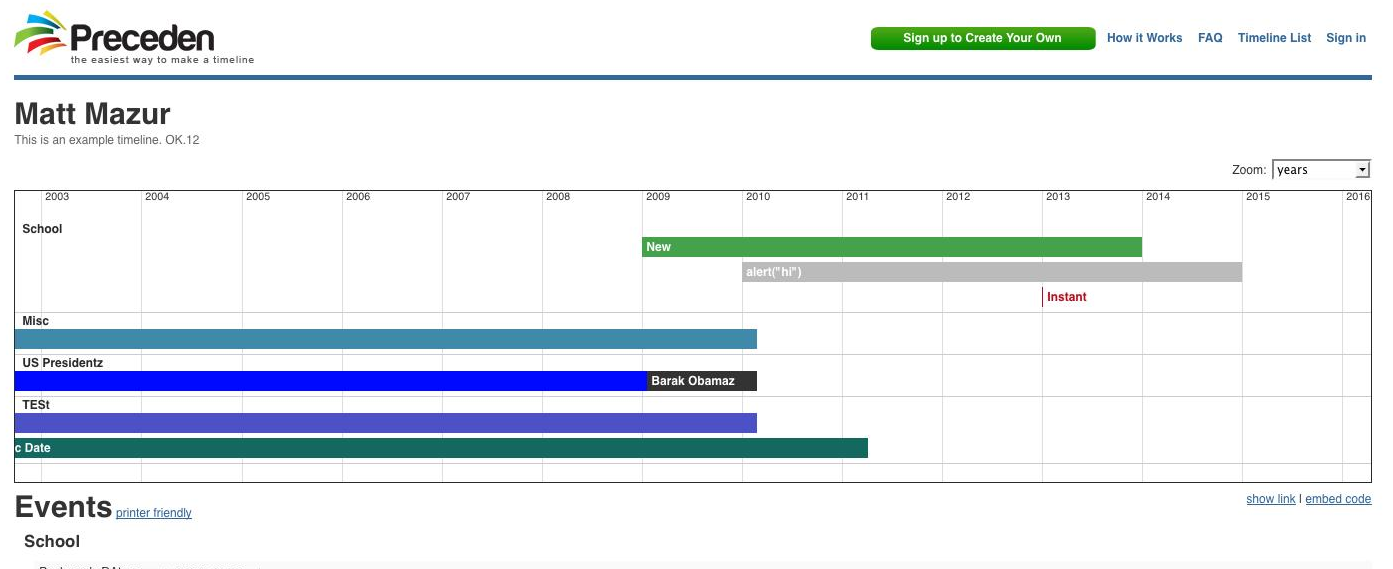
I make small changes to Preceden’s design about every day but I’ve never really been satisfied with the way it looked. I couldn’t put my finger on exactly what it was but I think I figured it out: logos with white backgrounds are hard design around. When you your logo has a white background, the header needs to be white and since the body is also normally white you wind up having a ton of white and very little color in the final design:

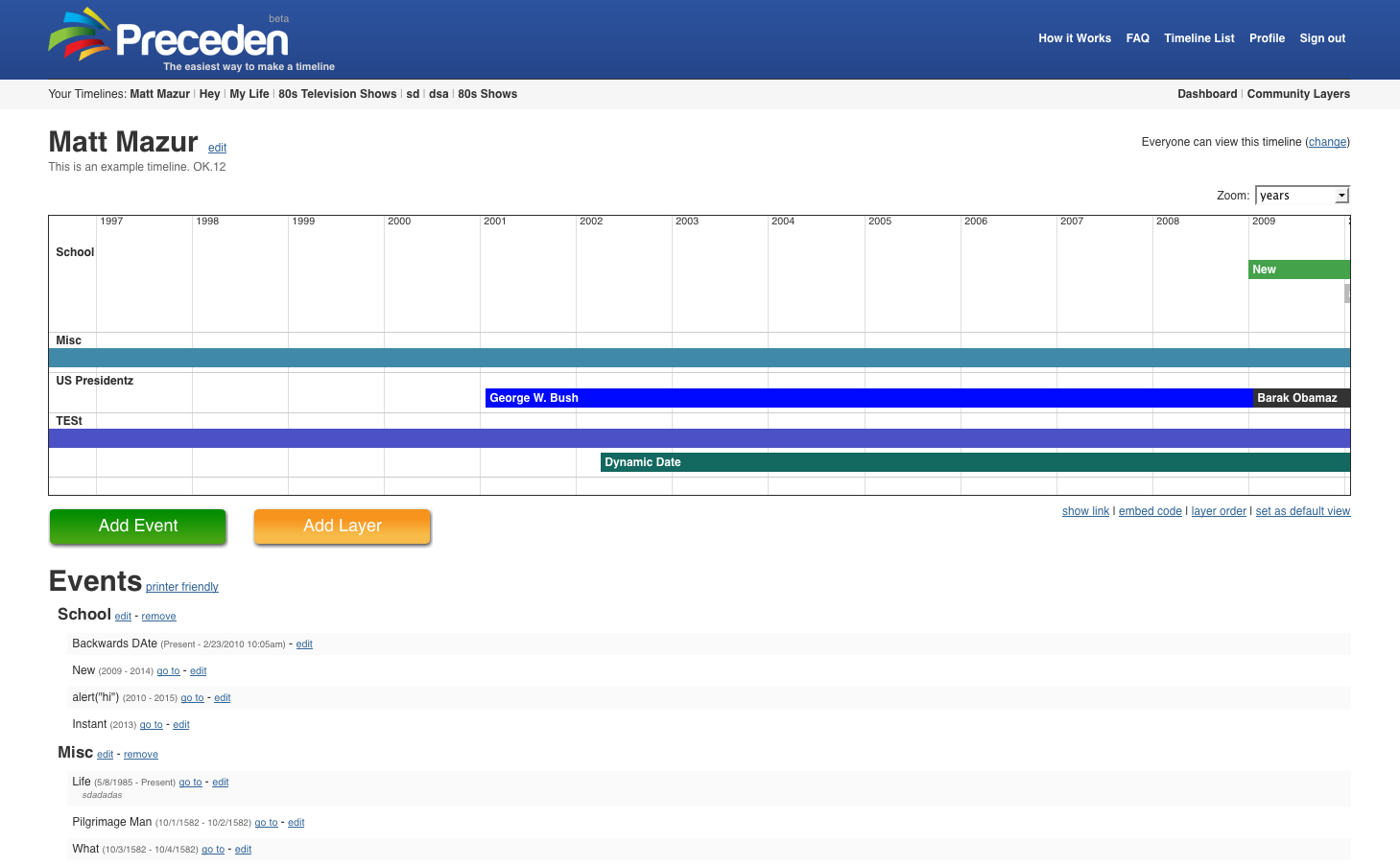
So what do you do? Change the logo’s background color:

Much better.

Flinging Timelines

You know how when you’re dragging a window on the iPhone and you let go it’ll move a little bit with its momentum before coming to a stop? Well, I decided that’d be a cool thing to implement with Preceden. Two nights and about four Hot Pockets later, I finally got it down.

I’ll quote Feynman, cause he puts how I feel right now so well:

You see? That’s why we persist in our investigations, why we struggle so desperately for every bit of knowledge, stay up nights seeking the answer to a problem, climb the steepest obstacles to the next fragment of our understanding, to finally reach that joyous moment of the kick in the discovery, which is part of the pleasure of finding things out.

Yeah. Feynman. Flingling. Awesome.

Try it out:

Momentum

I noticed a new referal URL when I checked Preceden’s administrator dashboard tonight. I checked it out:

8th Grade – Timeline (Social Studies and Computer Class)

Using Preceden, students will create a timeline of important events (causes) leading up to World War II.

To see a sample, click here. The password is —.

The timeline must have at least four (4) layers (to be determined by the team) and a minimum of 12 events. Students must include notes for each event.
One event must be the start of World War II. Major events of World War II may also be included but do not count toward the required 12 events.
(However, they will be considered as work “above and beyond” the requirements.)

When completed, each team will provide — with the link to their timeline and the password.

Students will work with a partner on this project.

The due date is Wednesday, March 3rd.

A social studies teacher assigned his students homework to make a Preceden timeline of the events leading up to World War II.

It’s nice to see Preceden’s starting to get users outside of the startup scene, where is most of the traffic has been from since it launched a few weeks ago.

Coming along…

PS: Follow Preceden on Twitter here.