
Mixpanel provides a way to query the data you send to it using something they call JavaScript Query Language (JQL).
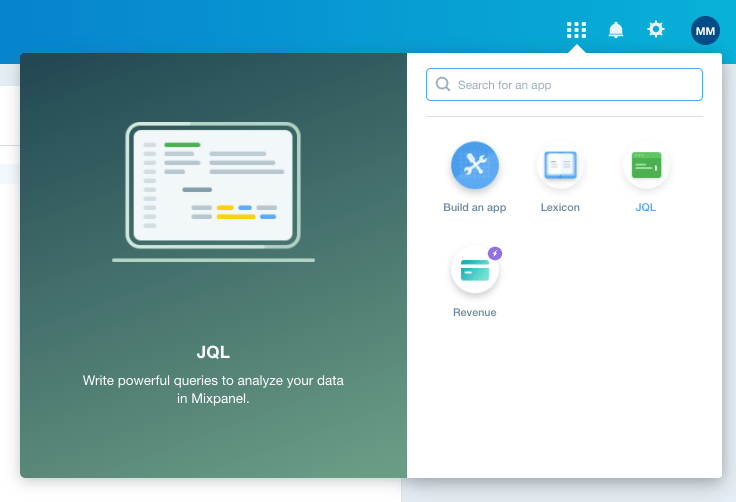
To experiment with it, you can navigate to the JQL app for your project:
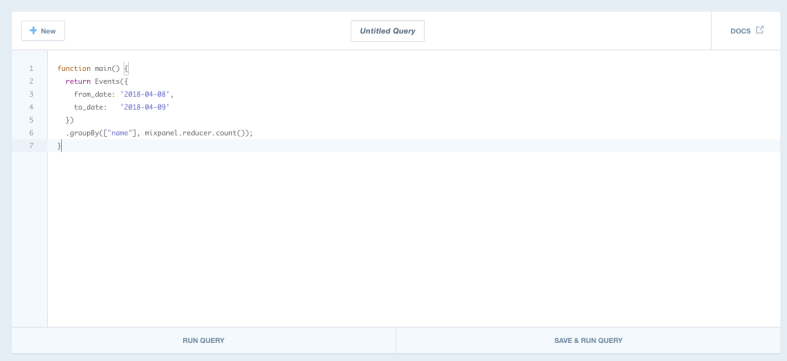
Which takes you to the JQL editor:
Alternatively, you query Mixpanel’s JQL endpoint directly from a local script:
First, you need to create a file with the JQL. I called mine testing.js:
This file contains hidden or bidirectional Unicode text that may be interpreted or compiled differently than what appears below. To review, open the file in an editor that reveals hidden Unicode characters.
Learn more about bidirectional Unicode characters
| function main() { | |
| return Events({ | |
| from_date: '2018-04-09', | |
| to_date: '2018-04-09', | |
| event_selectors: [{event: 'Signed Up'}] | |
| }); | |
| } |
Next, grab your project’s API Secret from its settings.
Finally, execute the JQL:
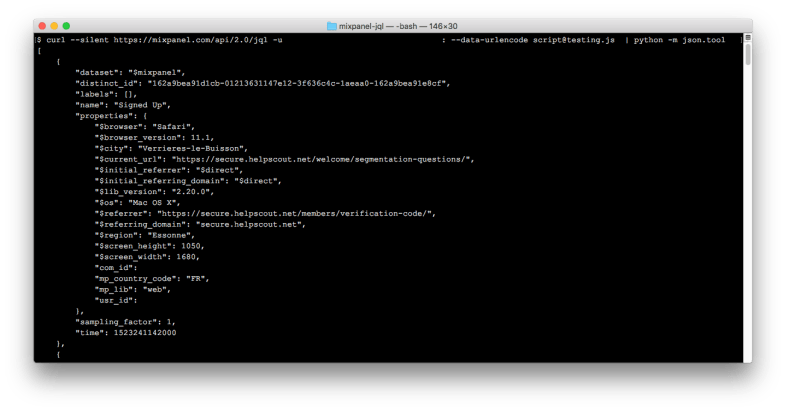
$ curl --silent https://mixpanel.com/api/2.0/jql -u YOUR_API_KEY: --data-urlencode script@testing.js | python -m json.tool
The last part that pipes to python simply formats the JSON response when it’s displayed in the terminal for easy viewing:
This file contains hidden or bidirectional Unicode text that may be interpreted or compiled differently than what appears below. To review, open the file in an editor that reveals hidden Unicode characters.
Learn more about bidirectional Unicode characters
| [ | |
| { | |
| "dataset": "$mixpanel", | |
| "distinct_id": "162a9bea91d1cb-01213631147e12-3f636c4c-1aeaa0-162a9bea91e8cf", | |
| "labels": [], | |
| "name": "Signed Up", | |
| "properties": { | |
| "$browser": "Safari", | |
| "$browser_version": 11.1, | |
| "$city": "Verrieres-le-Buisson", | |
| "$current_url": "https://secure.helpscout.net/welcome/segmentation-questions/", | |
| "$initial_referrer": "$direct", | |
| "$initial_referring_domain": "$direct", | |
| "$lib_version": "2.20.0", | |
| "$os": "Mac OS X", | |
| "$referrer": "https://secure.helpscout.net/members/verification-code/", | |
| "$referring_domain": "secure.helpscout.net", | |
| "$region": "Essonne", | |
| "$screen_height": 1050, | |
| "$screen_width": 1680, | |
| "com_id": 1234, | |
| "mp_country_code": "FR", | |
| "mp_lib": "web" | |
| }, | |
| "sampling_factor": 1, | |
| "time": 1523241142000 | |
| } | |
| ] | |
This is a trivial example obviously, but there’s a lot more you can do with JQL. You can use JQL to perform any type of analysis that you can in Mixpanel itself, and more.
 Matt Mazur
Impressive how many times I’m looking for a technical answer to something and your blog pops up! This JQL stuff is rough though. :)
I would highly recommend using a tool like Fivetran to get your Mixpanel data into a data warehouse like BigQuery. Then you can query it like a normal SQL table. Here’s an example: https://mattmazur.com/2018/05/11/looker-daily-uniques/
Cause yes, JQL is rough :)