
For the past few months I’ve been heads down building an AI-powered timeline generator tool for Preceden, my SaaS timeline maker software:

The tool – which is free to use and available on Preceden’s homepage – lets you type in a topic or detailed description of a timeline and it will generate a beautiful visualization for you in less than a minute.
Most of you reading this won’t have ever used timeline software, so let me take a step back and give you some more context.
The old way
The majority of people seeking out timeline software are using it for 1 of 4 use cases:
- Project planning – for example, a project manager looking to visualize a complex project plan
- Historical timelines – for example, a student tasked with creating a timeline for a class project
- Legal timelines – for example, a lawyer creating a timeline about the history of a case
- Fiction writing – for example, an author using it to hold together their fictional worlds
There’s no shortage of timeline software out there for these people to choose from – at least 28 by my count (and that’s just ones that call themselves timeline software, not counting the thousand other planning tools that have timeline features) – and they all basically work the same way:
- Sign up for an account
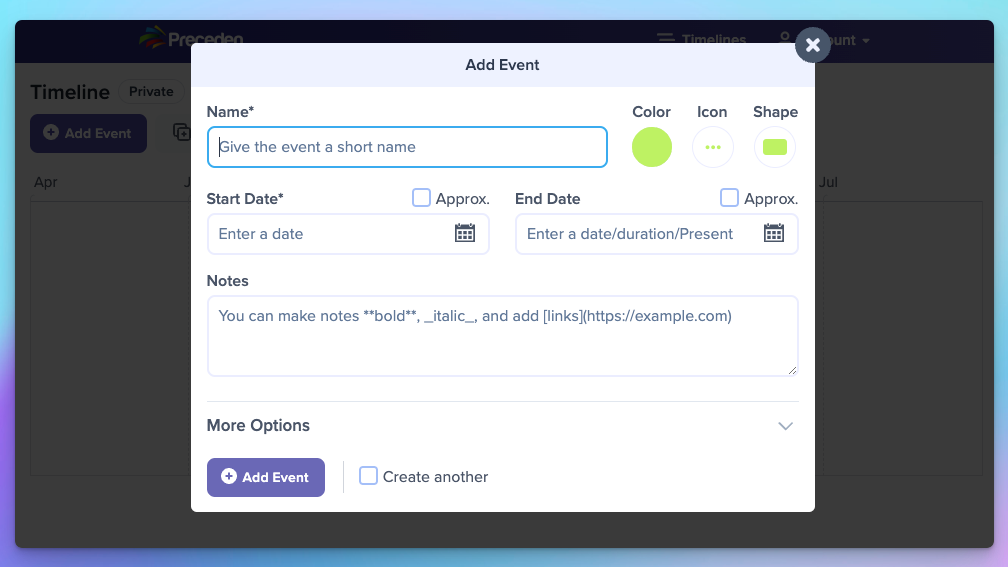
- Manually enter details about each event (its name, dates, etc)
- The tool will render those events in a timeline visualization
Preceden – which has been around since 2010 – has always worked this way too:
The new way: ChatGPT to the rescue
The launch of the ChatGPT API earlier this year presented an opportunity to rethink this old, manual approach to creating timelines.
After all, ChatGPT was trained about 570 gigabytes of data sourced from books, Wikipedia, research articles, and much more, so it is aware of many of the topics that people may want to create a timeline about:
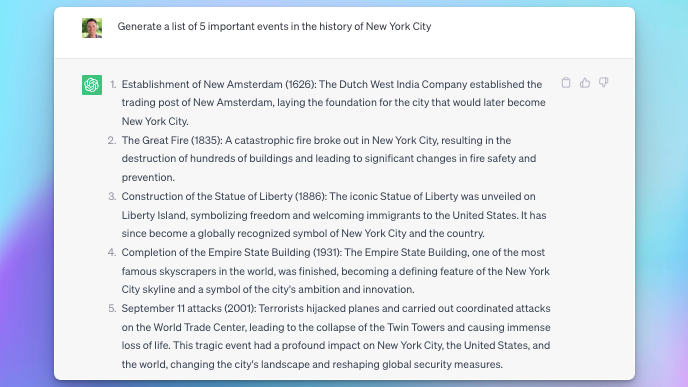
At a high level, this new AI-powered timeline maker is taking the topic you provide it, asking ChatGPT for information about it, and then automatically generating a timeline using that data:
Getting this to work well for for all of the use cases I mentioned earlier, in any language, for hundreds of different date formats, with a seamless and beautifully-designed UI (hat-tip WebPraktikos, Preceden’s designer, for his work there), and without glaring issues (like hallucinating historical events that never actually happened), has been quite a project 🤣.
I soft-launched a v1 of this tool at the end of May and have since viewed thousands of timelines that people have created with it, each time looking for opportunities to improve the quality, and adjusting the prompts and code accordingly so it’s a bit better for the next person to use it.
There are still quite a few issues, but it works pretty well for 90%+ of searches these days.
I’ll share a few examples below 👇.
Historical timelines
Albert Einstein

In addition to figuring out the key events to include in the timeline, Preceden also organizes those events into layers and determines meaningful icons to display beside each event.
OpenAI

Note that this timeline includes accurate events from 2023, well past ChatGPT’s September 2021 knowledge cutoff date. Figuring out that piece was… fun 😉.
London 1960-1970
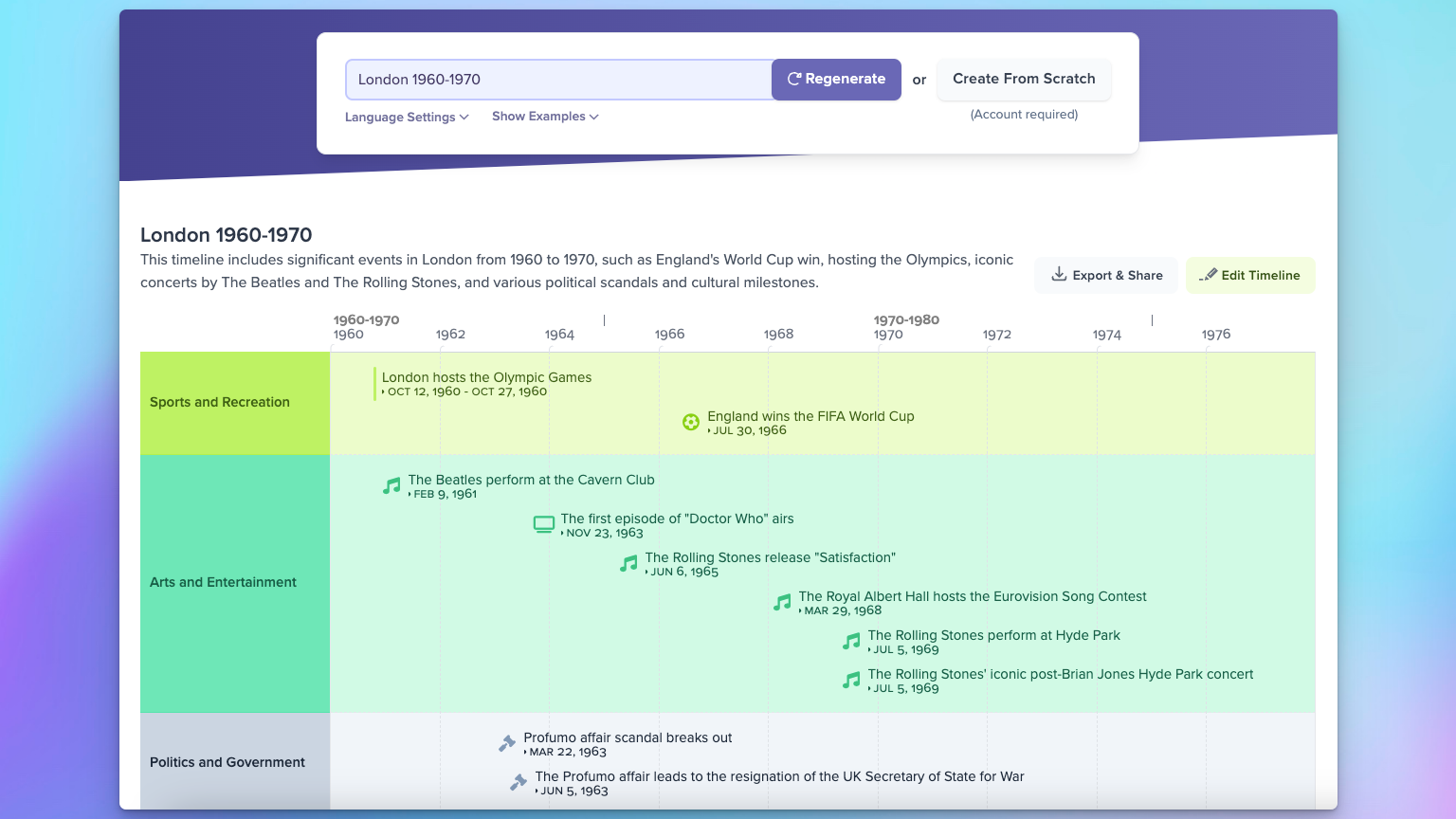
The tool also supports date ranges which many users include to focus their timeline on a specific time period.
Segunda Guerra Mundial
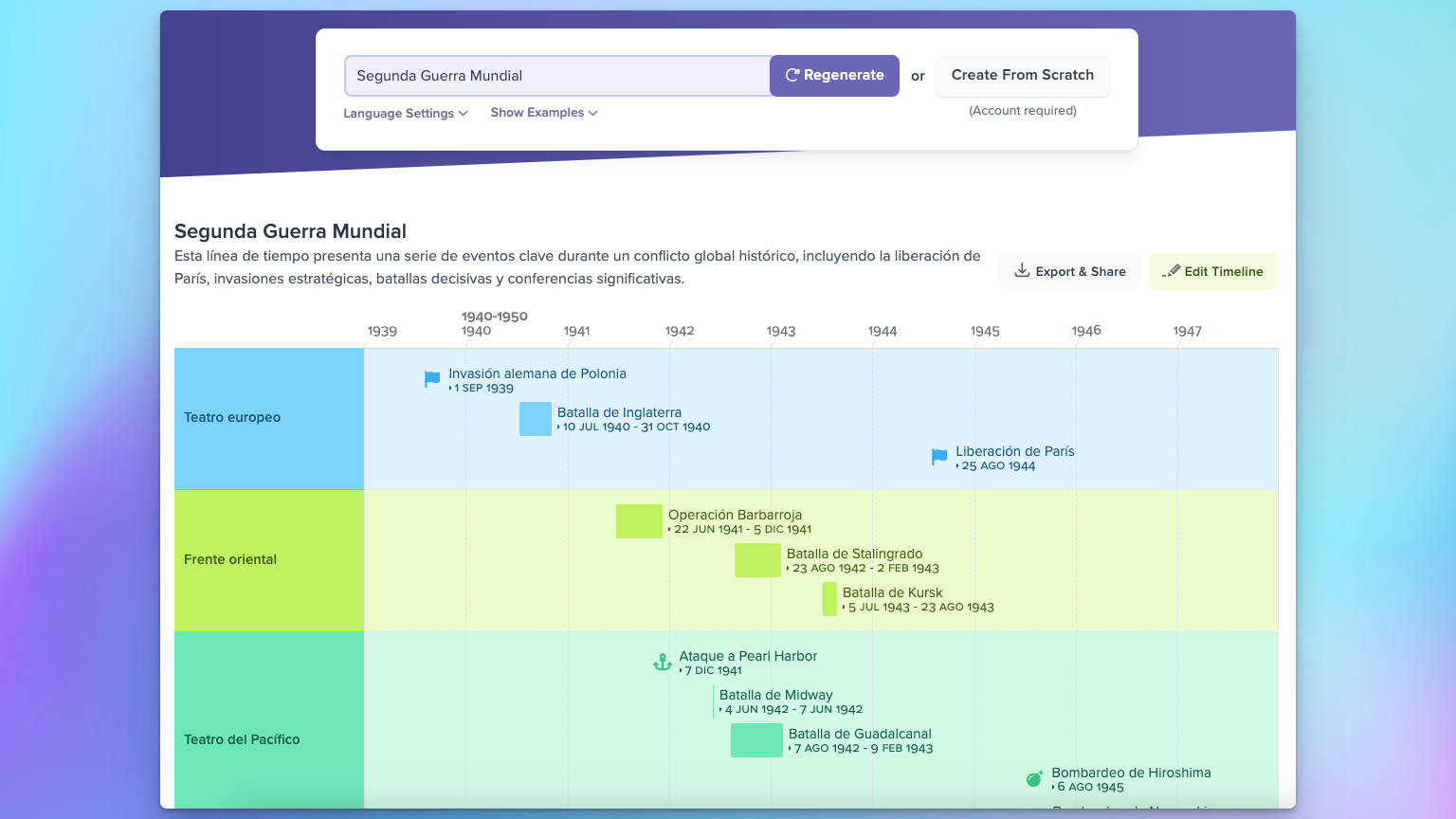
By default, Preceden will detect the language from the topic and generate the timeline in that language, though users can choose a specific language from the language settings:
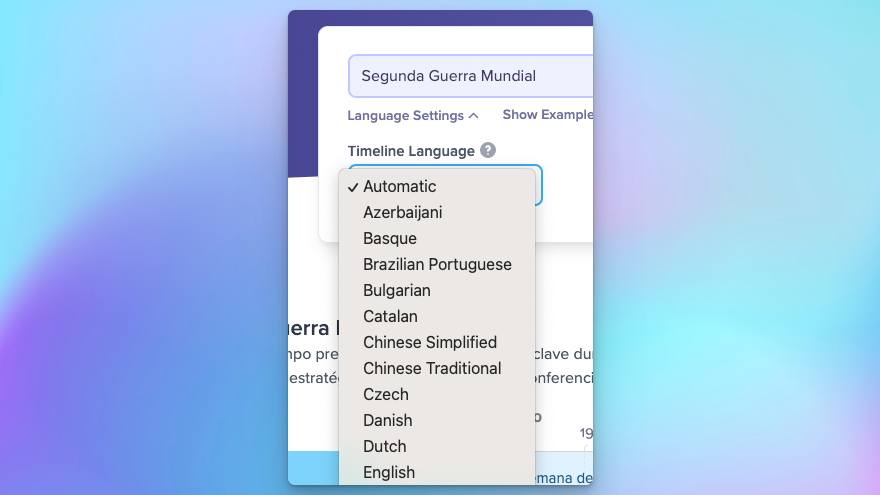
Each time I see someone using a new language, I add support for it so the tool works seamlessly for future users. This also requires adding support for each language’s diverse date formats 😱:
Project Planning
Startup Marketing Plan

For project managers, this tool can create high level plans for a wide variety of projects given just a simple description of the project. This will usually need to be edited to tailor it to the specifics of the project (like removing some of these AI-generated events, adjusting their dates, and adding your own events), but it can save users a lot of time vs creating the project plan from scratch.
Note too the current date line in red, which makes it easy to get a sense of when the project kicks off relative to today’s date.
Product Launch Roadmap
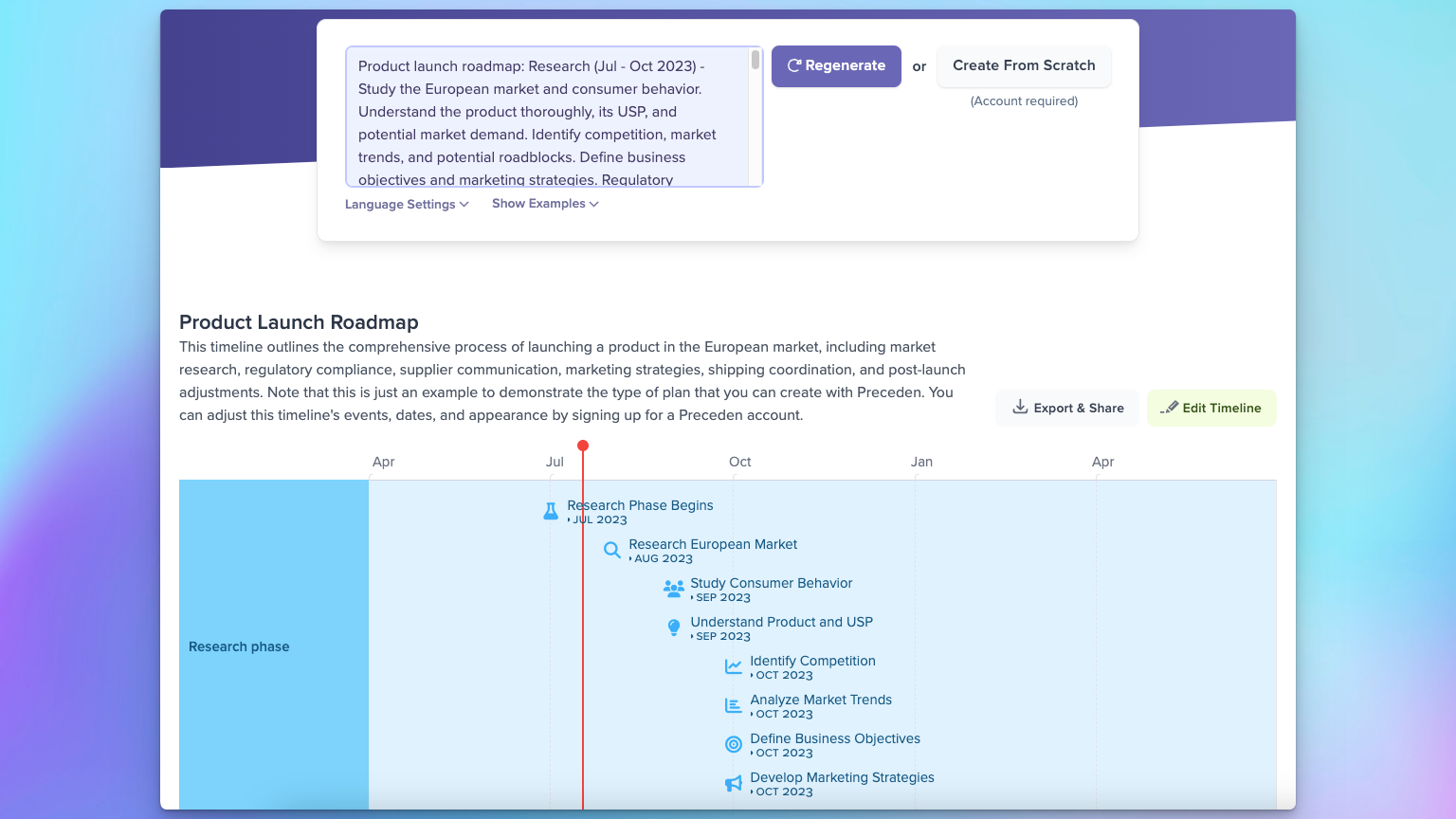
To my surprise, many users also type or paste in long, complex project descriptions, hoping to generate a timeline that reflects all of the details in their description. For example, the timeline above was generated using the following description that begins with:
Product launch roadmap: Research (Jul – Oct 2023) – Study the European market and consumer behavior. Understand the product thoroughly, its USP, and potential market demand. Identify competition, market trends, and potential roadblocks. Define business objectives and marketing strategies. Regulatory Compliance (Aug – Oct 2023) – Ensure the product meets European product safety standards...
Once again, this saves project managers a ton of time compared to building the timeline from scratch.
Legal
Civil Litigation Case Example

ChatGPT won’t know the specifics about most personal legal matters, but the timelines it generates can serve as a useful template to get started with, and just in general helps show people evaluating Preceden some of its capabilities.
Fiction Writing
Zombie apocalypse starting Aug 1, 2023
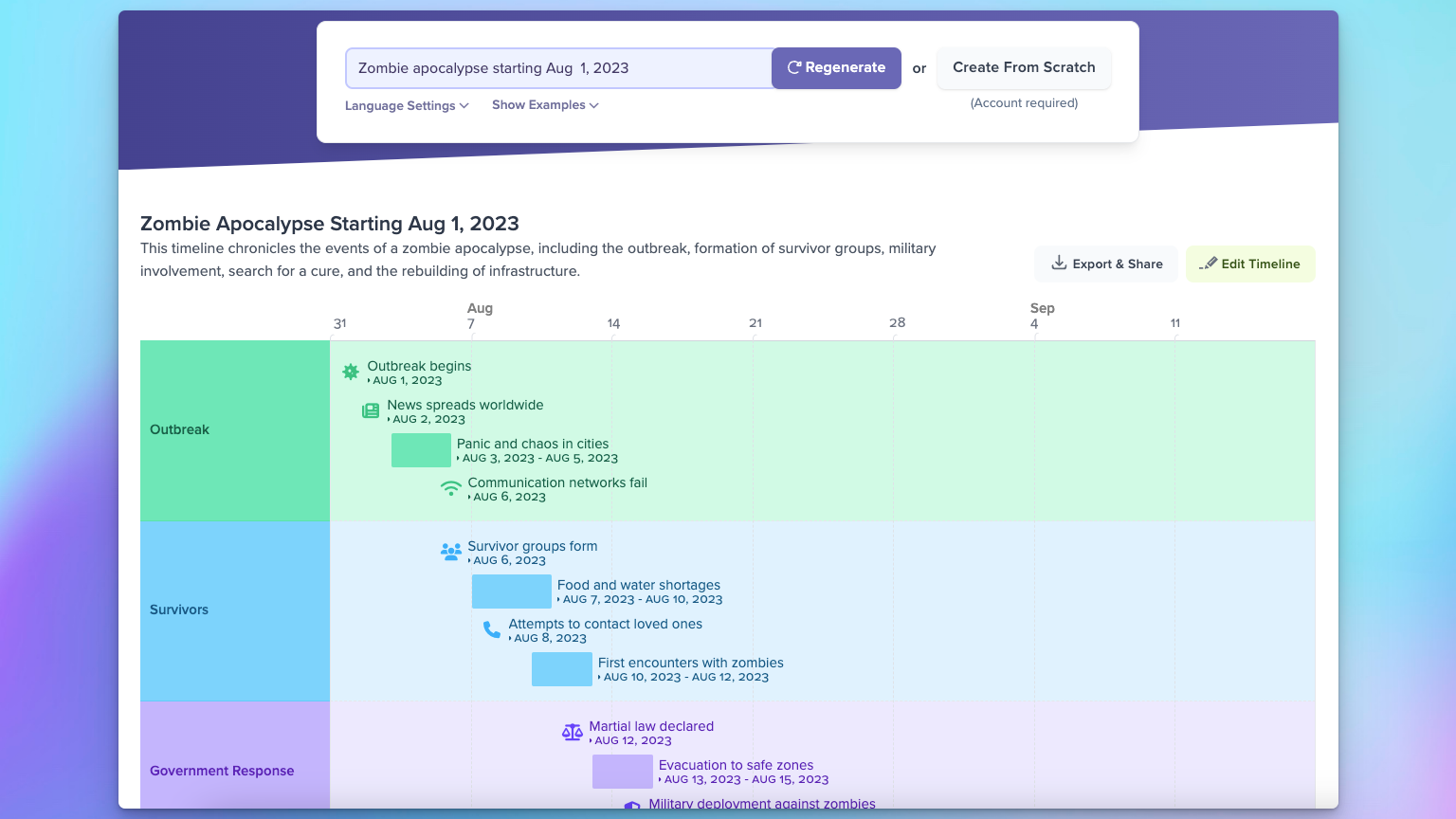
Writers can use this tool brainstorm stories and help them hold their fictional worlds together (ie, ensure the characters and plot points are consistent and flow well over the course of the story).
Jedi training plan

Even if you’re not a writer, it’s fun throwing random topics into the tool and seeing what it comes up with.
What’s next
While the tool is pretty good for most searches at this point, people type in all sorts of crazy things, some of which it doesn’t handle well right now. URLs are just one example (imagine if you could paste in a URL, and Preceden would scrape the content of that page and generate a timeline about it).
I’m also excited about the possibility of building a deeper ChatGPT integration into the app itself. For one example, imagine if you typed in a project description in Japanese, then the entire homepage (and in-app experience?) would automatically update to speak to that intent, and it all be in Japanese instead of English. Lots of opportunities along these lines.
If you wind up checking out the tool, I’d love any feedback you have: matt@preceden.com.
Thanks for reading and happy timelining 👋.
 Matt Mazur