What I’m working on

Preceden is coming along well. After several different pricing and freemium model variations, I settled on a $19 premium account which lets you surpass the 5-event limit for a free account. That seems to have worked pretty well and the site is bringing it a few hundred dollars a month with little work on my part.

For the last six weeks I’ve been working on a new web app called Lean Designs. It started off as a tool for making decision trees, evolved into a web-based diagramming tool, and is now slated to become a pixel-perfect mockup tool.  It’s similar to Balsamiq, except it’s completely web-based and high fidelity, meaning it doesn’t looked sketched. The editor is built on top of HTML5’s canvas element, which makes it incredibly powerful in terms of what it can render. My short term goal is to build a tool that can quickly create website mockups that are indistinguishable from the actual sites. It’s not there yet, but it’s close.

(Lean Designs, unfortunately, is a temporary name and will not be what the final product is called. I found out this weekend that the name LEANdesign is trademarked by a company that produces related software with the same name. New name is TBD.)

Also of note is that for the past two months I’ve been using a site called AccountableTo, which is currently in private beta. The site, which is being built by a Philadelphia based web developer named Mike Nicholaides, helps you stay focused by encouraging you to write a daily log of what you’ve done that day, which other members of your group can comment on (Mike and Chris Conley in my case). AccountableTo asks two simple questions: What did you do today? and What’s the next step?. It’s that second question which is the most valuable because it forces you to think about what you’re going and what you need to do to get there. I’ve found it incredibly useful in helping me stay productive day after day.

Here’s one of my updates from three weeks ago:

What did you do today?

Background work:
* Arbitrary HTML color input
* Drop down color palette (thanks Yahoo)
* Select from previously used colors
* Set background color to none
* Ability to change the canvas background color

What’s the next step?

Need to spend a few hours cleaning up the code, which has gotten a bit unwieldy.

Also, I’m considering focusing on creating high-fidelity website mockups (ie, forget about diagramming). It’s tricky because on one hand, adding the diagramming tools would not be very hard, but, it’s easier to market as a “high fidelity mockup tool” than as a “web based diagramming tool that can also do mockups”–thoughts? A natural step once I had this in place would be for it to generate quality HTML/CSS from the mockups (but that would probably be a few months down the road).

That second part — algorithmically exporting to HTML — is going to be fun, though it’s something a lot of developers want and will pay for if done well. Think of it as a web-based Dreamweaver that doesn’t suck. Imagine rendering all the PSD 2 HTML sites obsolete. That’s the long term goal.

I’m also preparing to move to Boston in a few weeks, so my progress of late has been slower than normal. I’m going to wait until I get settled there to launch the mockup tool, so it’ll probably be sometime around October.

Slowly by surely…
On (Not) Emailing Bloggers

Get as many distribution channels as possible – There is some weird sense that if you build something they will just come. That a few “like”+retweet buttons and emails to editor@techcrunch.com will make your traffic explode + grow consistently. It fucking won’t. Get as many distribution channels as possible. Each one by itself may not be large, but if you have many it starts to add up. It also diversifies your risk.

Jason Baptiste

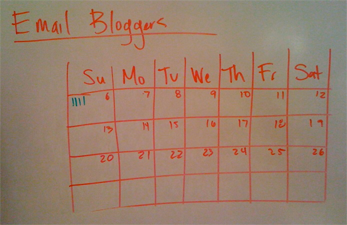
On that note, I had this brilliant idea about three weeks ago: as a reminder to myself to email bloggers as part of Preceden‘s marketing efforts, I would keep track of how many bloggers I emailed on the dry erase board next to my desk.

I started on the 6th; today is the 21st:

It’s not that it’s a very hard or time consuming task; I just find it incredibly mind numbing. Every time I sit down to actually email someone, I always wind up switching over to TextMate within 30 seconds to resume programming.  Jason’s right though: building it is not enough. The internet is a big, big, BIG place and like it or not, you are just a drop in the bucket.

Here’s to the next three weeks.

Adding a Survey to Preceden with Wufoo

Yesterday I added a survey to Preceden so users could tell me a bit more about their experience, and I think it’s going to be one of the best decisions I’ve made.

I chose to use Wufoo, a service for creating forms, rather than rolling my own because a) I hate making forms and b) I heard they make it easy.  It’s free to try and I’ve also heard they have great customer service, which is always a plus.

Patrick’s McKenzie’s post on integrating Wufoo into BingoCardCreator was my inspiration for doing this and I highly encourage anyone trying this to read his post too, as he has a lot of good ideas on incentivisation which I don’t cover here.

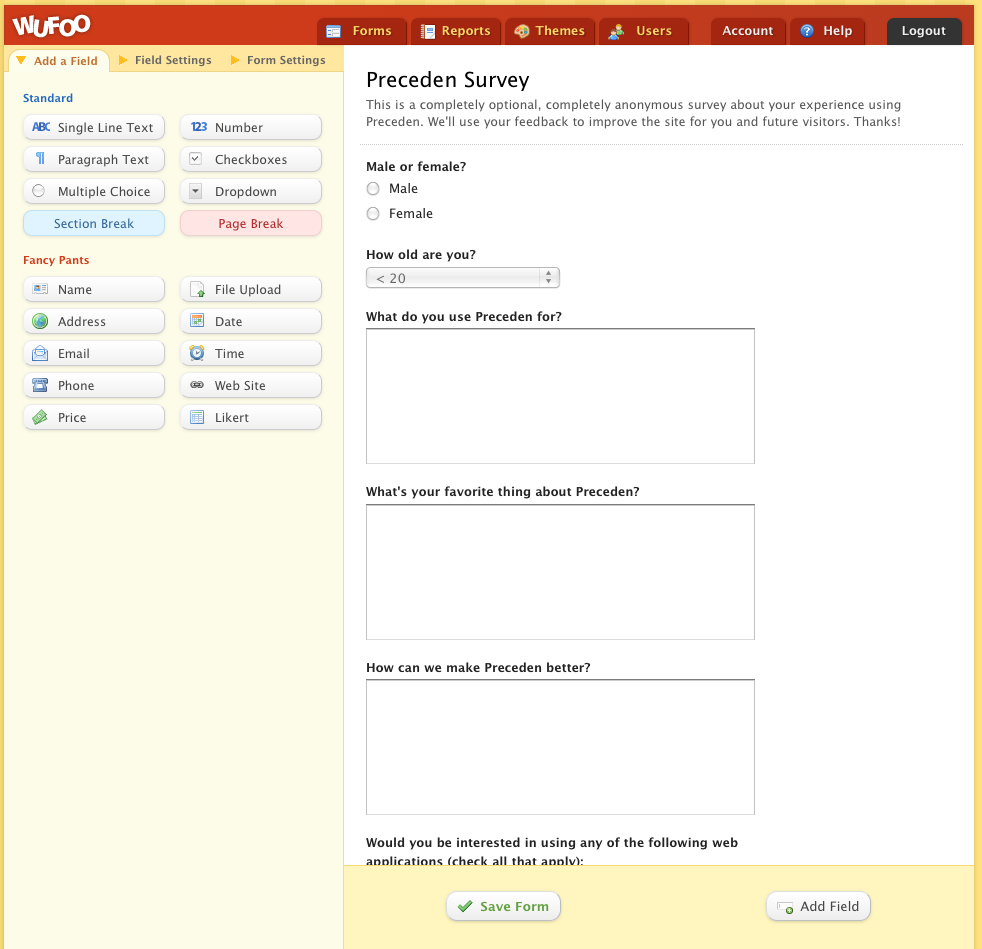
Wufoo has a slick web interface that lets you build a form by dragging and dropping controls onto it:

You also have the ability to customize the fields which makes it powerful, though it does so without being complicated. It’s clean, well thought out design is refreshing.

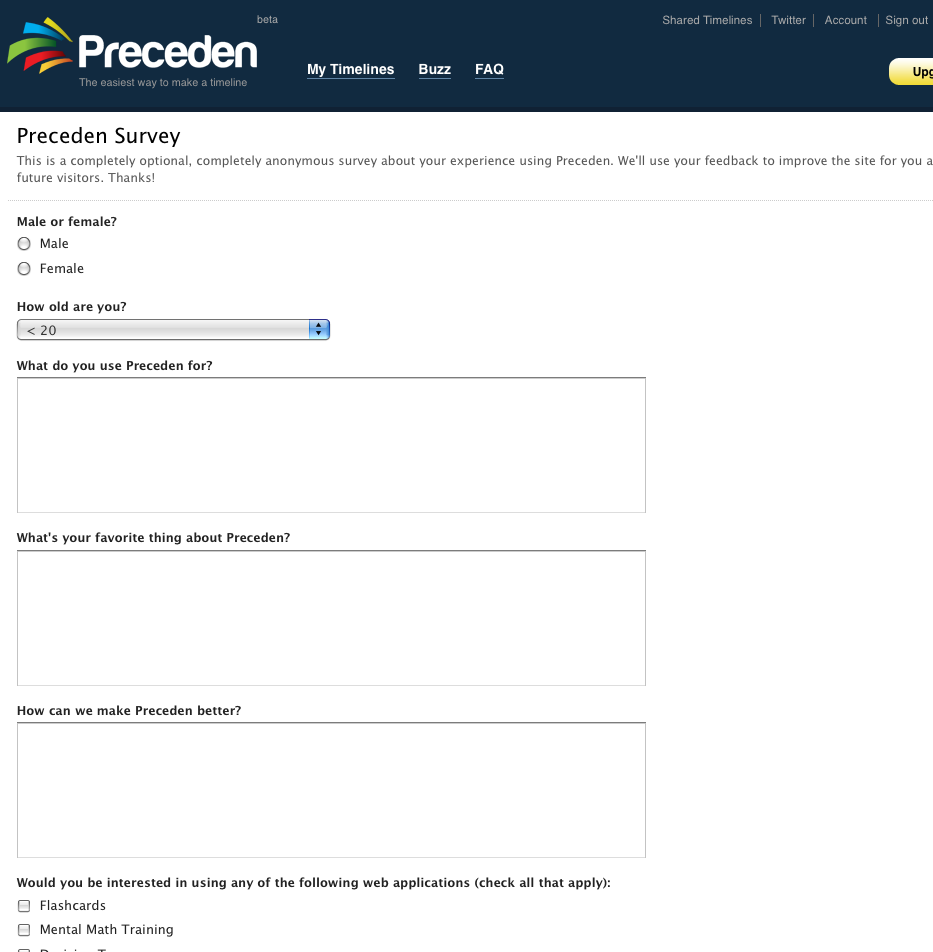
I added six question, which are based on the ones Patrick used for BingoCardCreator:

  • Male or female
  • Age
  • What do you use Preceden for?
  • What’s your favorite thing about Preceden?
  • How can we make Preceden better?
  • Would you be interested in using any of the following web applications? …

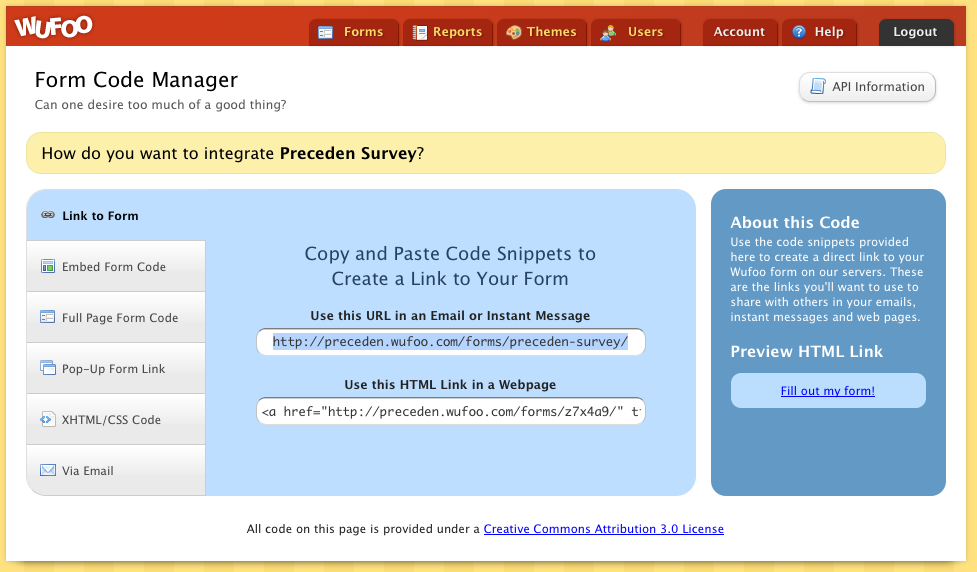
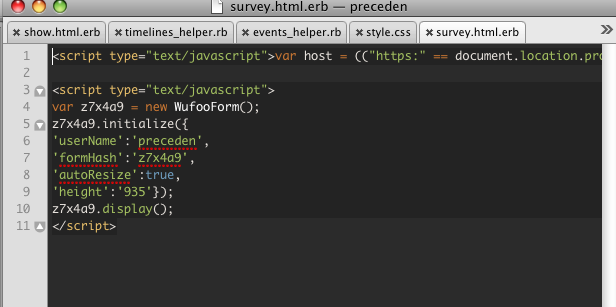
When you’re done, Wufoo will generate the JavaScript required to embed the form into your site:

I created a survey action in my home controller, with a corresponding survey.html.erb for their JavaScript:

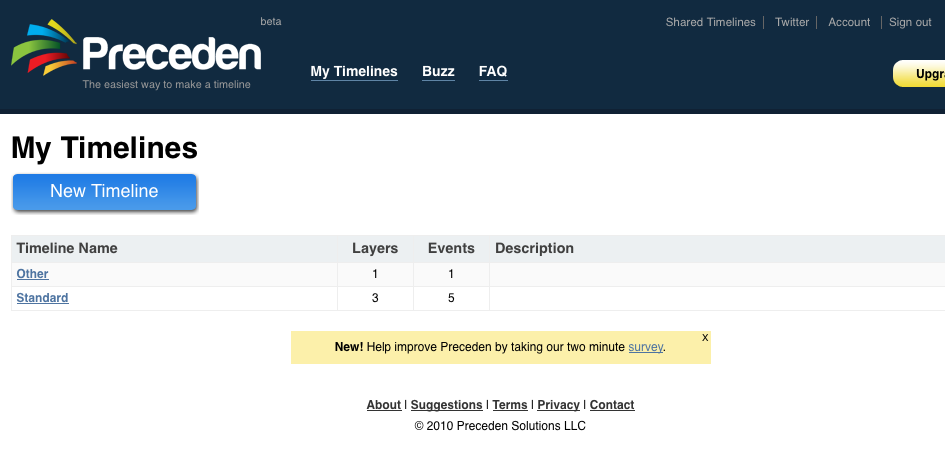
And then I added a link to it from the user’s dashboard:

Clicking it takes you to the actual survey:

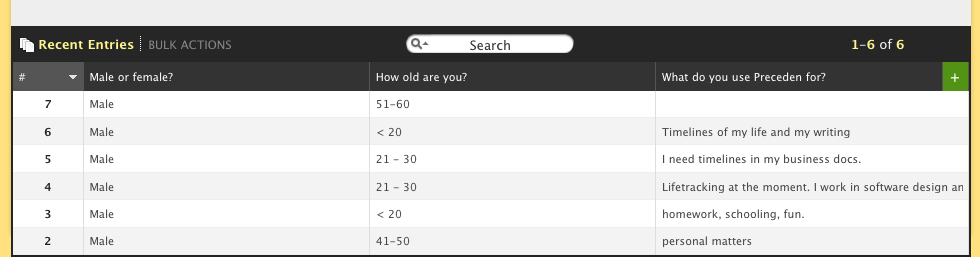
When users submit it, Wufoo sends me an email with the results, plus you can also check it on their website:

You’ll notice on the dashboard screenshot that there’s a small X in the top right corner of the survey notice.

I wanted users who have taken it or who don’t want to take it to be able to close the notice so it doesn’t show up forevermore on their dashboard. To do this, I added a surveyed attribute to the User model, which is set to false by default, but is changed to true when the user clicks that X.  Then on the dashboard I can say:


New! Help improve Preceden by taking our two minute .
'close'), :id => 'close-survey', :title => 'Hide this notice' %>

In total, integrating it took about two hours and it would have been a lot less if I didn’t want to keep track of who didn’t want to see it.

While there is already a contact form on the site, adding a survey link in a prominent location has already resulted in a great deal of  really good feedback. Here’s a snippet from one submission:

In no particular order :)

* Would love today’s date to automatically be in the ‘start’ box.

* An API so I can interface with our Bugzilla!
– This would boost other people sending data into preceden (hopefully) and raise awareness. Gosh, imagine a facebook app that logged and timeline’d exactly when you were on facebook. Ouch.
– I would love to see some kind of sync from preceden to Google Calendar (which in turn syncs with everything I own). Easier than developing multi-platform synchronization yourself!

This person probably wouldn’t have taken the time to write me an email, but by asking him directly “What do you want?” he opened up with a ton of useful ideas.

With Wufoo, there’s no excuse not to survey your users. For the amount of time it takes to do it and the value you gain from the results, it’s the easiest decision you’ll make all day.

Preceden’s Homepage Heatmap

About a week ago I signed up for CrazyEgg, a service that tracks where users are clicking on your site. It’s $9/mo for the cheapest plan and I figured I’d give it a try.

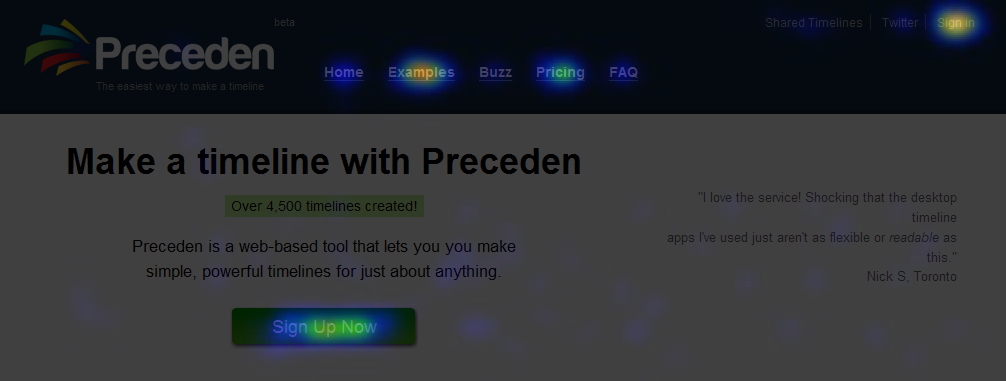
This, for example, is a heatmap generated by CrazyEgg showing the key areas where users are clicking on Precedens’ homepage:

Observations:

  • Lots of people click on the large green “Sign Up Now” button. (A clear call to action on the homepage is a big, big win for any web app.)
  • Lots of people click on the “Examples” link to learn more about the service.  I haven’t spent much time optimizing the Examples page, but it’s probably something I should do given its important role in converting users.
  • Lots of people click on the “Pricing” link, which makes sense. Interestingly, until several days ago there was no Pricing section at all; the price was only mention in the FAQs. However, I noticed that a lot of people were signing up and hitting the free account event limit, indicating that they weren’t aware of the restrictions so I decided to give the price its own, prominent section of the homepage. I predicted there would be a noticeable drop in the conversion rate, but after several days, it’s remained at about 13% (new users / new visitors from Google Analytics). I’m thinking that’s a really good thing, because if people are not dissuaded by the presence of a price (ahh!), it indicates that they’re at least willing to consider paying for the service.
  • Not a lot of people click on the “Buzz” link, but that’s OK. I might want to A/B test a few more testimonials on the homepage to see how it affects the conversion rate. (PS: I recently added this gem to the top of that page: “The fact that Preceden offers “layers” and “milestones” puts your product miles ahead of other timeline apps that I’ve seen” which is from an email I received).

I might not continue paying the $9/mo, but it’s well worth the $9 to get that initial analysis.