Yesterday I launched Lean Domain Search, a new domain search engine, on HackerNews.
You can read the discussion here: Review my Startup – Lean Domain Search – The fastest way to find a domain name.
It started with Domain Pigeon
Lean Domain Search is a follow up to Domain Pigeon, my first Rails project which I launched (also on HackerNews) a little less than three years ago.
Lean Domain Search is what Domain Pigeon was supposed to be: you type in a search phrase and the app pairs it with other words to generate domain names and instantly shows you which are available. I even kept a notebook in my car and when I saw a company name that started or ending with something that would also work for a domain name, I’d jot it down. One problem though: I didn’t know how to do it.
It’s not hard to programatically check whether a domain name is available, but doing it in bulk and doing it fast is. When I started trying to implement bulk search for Domain Pigeon, I couldn’t figure out a way to do it well. I decided to pivot slightly and simply listed available web 2.0-style domain names instead.
Domain Pigeon did well, but I made a bunch of mistakes which eventually led to its downfall. I remember thinking foolishly “Man, making money with web apps is easy.” Domain Pigeon was never supposed to take off. It was a something I undertook to learn web development; it wasn’t supposed to be what I became known for. Yet I’d go to Philly on Rails meetups and I’d be the “Domain Pigeon guy”. And so I started working on other projects, one of which eventually became Preceden. I kept working on Domain Pigeon on the side, but as I became more and more involved in Preceden’s development, I let Domain Pigeon slide and eventually just said screw it and shut it down.
Looking back, my two big takeaways from Domain Pigeon where:
1) It’s hard to make money with web apps. If you are lucky enough or talented enough to find something that people like and will pay for, double down.
2) If you do decide to work on new projects, don’t abandon your existing ones. If you don’t have the discipline to maintain existing projects while building new ones, then don’t build new ones until you do.
Lean Domain Search aka Domain Pigeon 2.0
I launched Preceden and eventually Lean Designs, but I still had the domain name itch. I really wanted to build that original search tool and continued brainstorming ways to do it. About five months ago I decided to take a break from Preceden and Lean Designs development and go for it (without abandoning either — see #2 above).
Lean Domain Search is the result. It’s better that what I originally envisioned: it generates and checks the availability of 1,000 domain names in about 2 to 3 seconds (go check it out!).
The HackerNews launch
The launch on HackerNews went well, but it was not without issues (launch day never is).
The biggest problem was the accuracy of the results. I estimated beforehand that about 1 in 1000 available results would be actually be registered due to some quirks with the way they were being checked. That turned out to be a tad bit optimistic: it was more like 1 in 20. As an extreme example, the results for “cloud” returned 10 results, none of which were actually available. This was understandably frustrating to anyone who searched for “cloud”, found domain names that he or she got excited enough to register, and then found out it was actually registered.
As a temporary solution, I added a “Double-check availability” button that let folks confirm an available domain name was indeed available before going off to register it. This worked great on my local computer, but there was a bug in production that caused it to say that every result was registered. I didn’t notice this until a few hours later by which time 800 people had double-checked the availability of a domain name and Lean Domain Search said the equivalent of “Oh, actually it’s registered. My bad.”
There was a hectic hour of hacking after that where I troubleshot and fixed the double-check feature, but it still felt sloppy. Everyone searching for “cloud” still got those same 10 incorrect results. Eventually it clicked: why not track the double-check results and stop showing ones that come back registered?
After another few hours of hacking, I had a decent solution in place: if you double-checked the result of an available domain name and it came back as registered, Lean Domain Search would remember that and it would no longer be shown in the available search results for you or anyone else. This way the results become more and more accurate as more people use it. 1 in 1000 might never be possible, but the false positive rate should eventually be closer to 1 in 100 than 1 in 20 (and thanks to Mixpanel, I can actually track that over time).
This morning I spent a few hours cleaning up the code and making other improvements. For example, when you click a domain name it will now automatically double check the result so you don’t have to.
I also found a typo today in the Namecheap affiliate link that caused my affiliate code to be dropped so I didn’t get credit for who knows how many domain name registrations yesterday. Fun!
But it was still a good day. All in all folks used Lean Domain Search to make about 14,000 searches yesterday thanks to it sitting on the HackerNews front page for almost 20 hours. Launch day traffic is always inflated though (don’t be fooled!); the trick is getting it back up to that point over the next few months.
The mentions on Twitter about Lean Domain Search were very positive too — thank you to everyone who Tweeted about it.
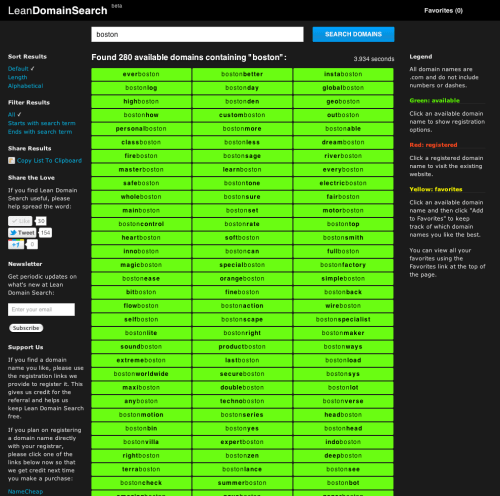
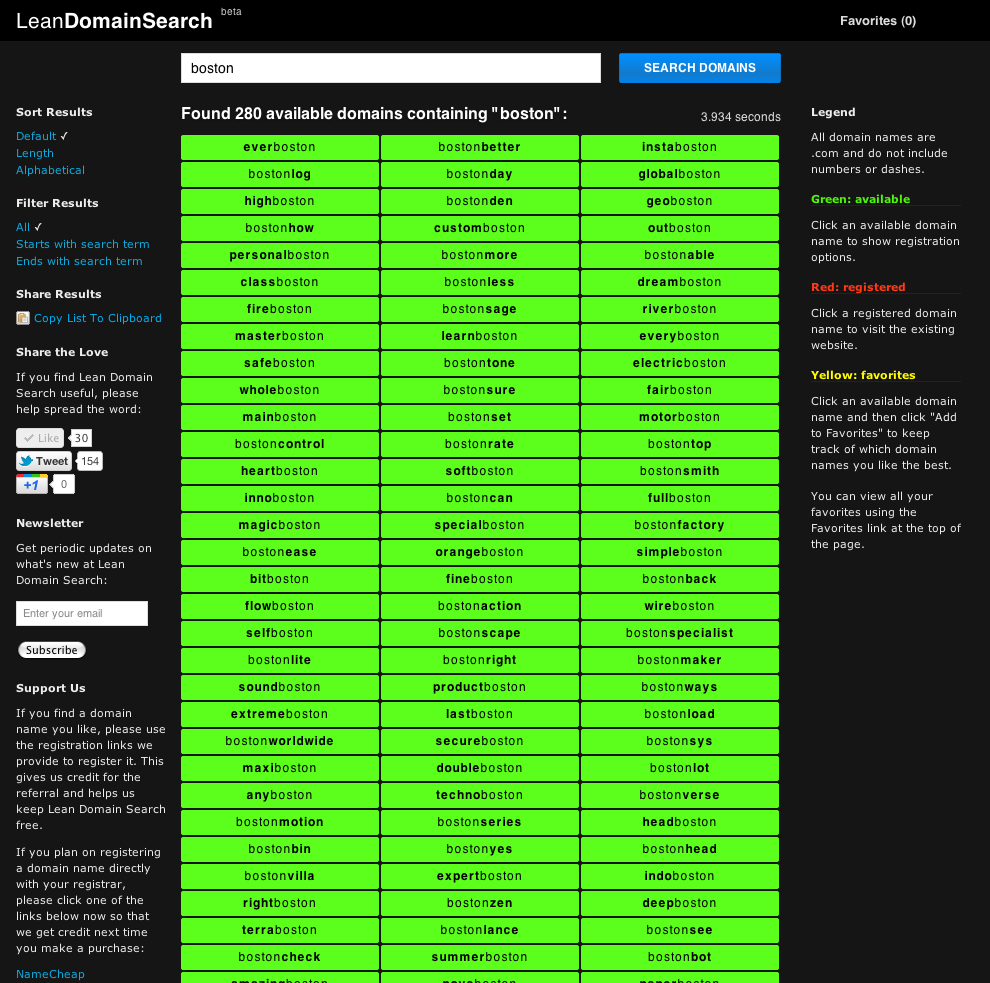
Here’s a screenshot from today:
On a final note, I should be blogging a lot more in the future. If you’re not subscribed to the RSS feed, you should.



 Matt Mazur